The Markdown editor your prompt library deserves.
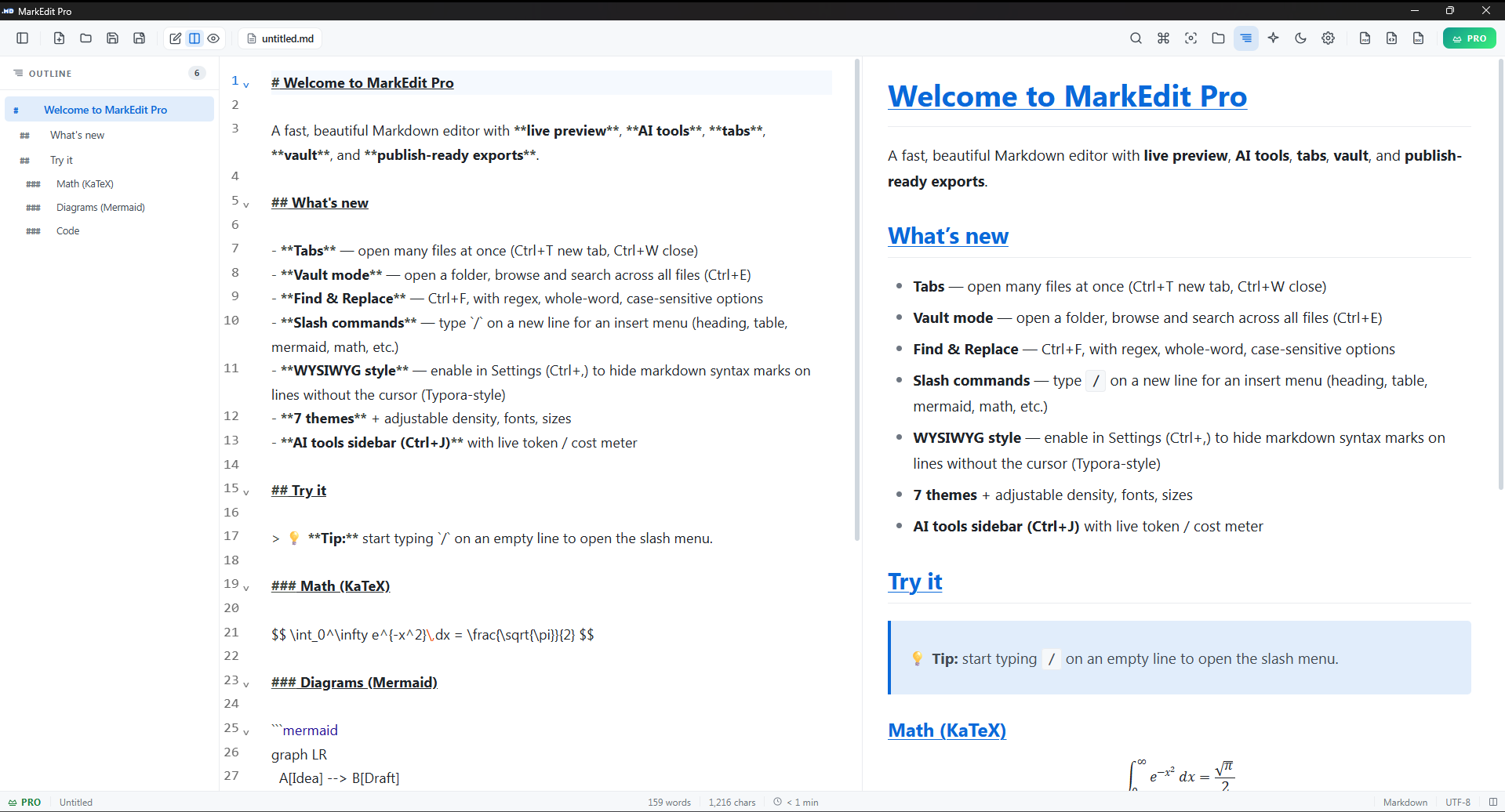
Edit CLAUDE.md, AGENTS.md, your prompt drafts, and your README in one native Windows app. Live token count + cost estimate for Claude, GPT and Gemini as you type. Double-click any .md file and you're already typing, in 200 ms. 6.8 MB native binary.
Every other Markdown editor is bloated. This one isn't.
From double-click to a blinking cursor takes about 200 ms, faster than your brain finishes deciding which file you wanted to open. The installer is 6.8 MB. The bar chart below shows why that matters.
Indicative installer sizes for the most common categories of editors people use for Markdown on Windows 11. Cold-start measured from double-click to interactive cursor on a Ryzen 5 / NVMe SSD.
Built for everyone whose work touches a .md file.
From your CLAUDE.md to a client deliverable, five daily scenarios you'll recognise, five wins DotMD gives you.
Tend the CLAUDE.md in your repo (and the prompt library on your disk)
Your project root has CLAUDE.md, AGENTS.md, half a dozen prompt drafts you reuse with Claude / ChatGPT / Gemini. Open the AI sidebar to see a live token count and cost estimate as you edit. One click puts the whole doc on your clipboard, ready to paste into a chat.
You'll feel: A Markdown editor that respects how .md is actually used in 2026, not just for READMEs, but for the prompts and context that drive your AI tools.
Polish a README before a release
Double-click README.md in your repo folder. Edit on the left, watch the preview update on the right, exactly the way it'll look on GitHub or npm. Hit Ctrl+S. Commit. Push. Done before your build pipeline kicks in.
You'll feel: No IDE warmup. No "wait, where's the preview tab?" Just the file, the formatting, the save.
Send a client a polished PDF
Draft the doc in Markdown the way you think, headings, lists, code, math, mermaid. When the client asks for "something they can open in Word," hit Export. The PDF comes out clean: equations rendered, diagrams as SVG, code in proper syntax highlighting. DOCX, too, if Word is what they want.
You'll feel: The same writing flow you already have, with a Pro-grade output the client actually opens on the first try.
Capture a meeting note without breaking focus
Hit F11 for focus mode. Toolbar gone, cursor pinned to the centre of the screen, only your current paragraph visible. Type. The status bar quietly counts your words. When the meeting ends, exit focus and the doc's already saved.
You'll feel: A writing surface, not an "app." The interface gets out of the way.
Search a folder of old notes
Press Ctrl+E, point DotMD at any folder of Markdown files. The vault pane lists every .md file inside; type to filter by name, or hit Enter to full-text search the content. Click a result, it opens in a new tab.
You'll feel: Lightweight access to a folder you'd otherwise lose track of. No import. No conversion. Just your files.
If any of those five sounded like your day…
Pick it up while the launch coupon is live: LAUNCH75 drops Pro to ₹250 once today.
Six things you'll use every day. No "premium features" filler.
See your prompt's token bill before you paste
The AI sidebar shows a live token count and a per-model cost estimate (Claude / GPT / Gemini) for the current document. One click copies the whole thing for an LLM chat. Quick links to the major tools next to the meter.
CtrlJProSee what you're writing, live
The right pane shows your doc rendered as you type. Math equations, mermaid diagrams, and code blocks (100+ languages) all preview in real time. No "build → refresh" loop.
Ctrl\Reach every action in two keys
Press Ctrl+P to fuzzy-find any command. Type / on a new line and pick a heading, table, code block, or math from the menu. Your hands stay on the keyboard.
Find and rewrite at the speed of regex
Open Ctrl+F, throw any pattern at it, case-sensitive, whole-word, regex with capture groups. Replace one occurrence or the whole doc in one keystroke.
CtrlFTreat any folder as your notebook
Point DotMD at a folder of .md files. Browse from the side pane, full-text search the whole tree, open results in tabs. Your files stay where they are, no import.
Ship a PDF clients actually open
Hit Export. The math renders, the diagrams render as SVG, the code keeps its colours. DOCX, too, for the Word folks. No browser print, no broken layout, no "can you also send it as a Word doc?"
Pro.md files faster than anything else on your taskbar. No subscription. No telemetry. No "AI assistant" that talks back. Just a 6.8 MB editor that respects your time.
Try it free. Upgrade when you're exporting daily.
Free covers most use. Pro is a one-time ₹250 today (₹999 normally) and unlocks unlimited exports, no watermark, no ads, plus everything you add later. Use it on two machines. 7-day refund if it doesn't fit.
₹0
- Editor, preview, math, diagrams
- Vault mode + full-text search
- HTML export
- 1 PDF + 1 DOCX per day
- Watermark-free exports
- Ad-free workspace
₹999₹250
- Unlimited PDF + DOCX export
- No watermark, no upgrade strip
- AI sidebar + live token meter
- All future Pro features
- Reply-to-author support
The questions people actually ask.
- Does DotMD send my prompts or
.mdfiles to any cloud or AI provider? - No. Zero telemetry. Your files stay on your disk where you put them. The token meter computes locally, nothing is uploaded to Claude, OpenAI, Google, or us.
- How does the token counter actually work?
- It uses the published tokenizer for each model family. Anthropic's for Claude, OpenAI's for GPT, Google's for Gemini. The cost estimate multiplies the count by current per-million-token rates. Counts update live as you type.
- Can I use DotMD alongside Claude Code, Cursor, my IDE?
- Yes, DotMD doesn't lock files. Edit
CLAUDE.mdorAGENTS.mdhere, your agent reads the updated file on the next run. Watch external changes too: if your IDE rewrites the file, DotMD picks it up. - What happens after I pay?
- A license key arrives by email within seconds. Open DotMD → Help → Enter License Key → paste. Toolbar turns green, exports go unlimited, ads disappear. Works on two machines.
- Refund policy?
- 7 days, no forms, no follow-up email asking why. Reply to your purchase email and the refund is processed the same day.
- Linux? Mac?
- Linux build is in progress (AppImage + deb). macOS isn't on the roadmap yet, Apple signing costs make it unviable at ₹250 launch pricing.
Your .md files deserve a real editor.
Start writing in DotMD.
CLAUDE.md, AGENTS.md, the prompts you keep refining, the README you keep meaning to update, they all live in one 6.8 MB app that opens before you blink. Free version covers most of what you'll ever need; Pro is ₹250 today, ₹999 once the launch window closes.